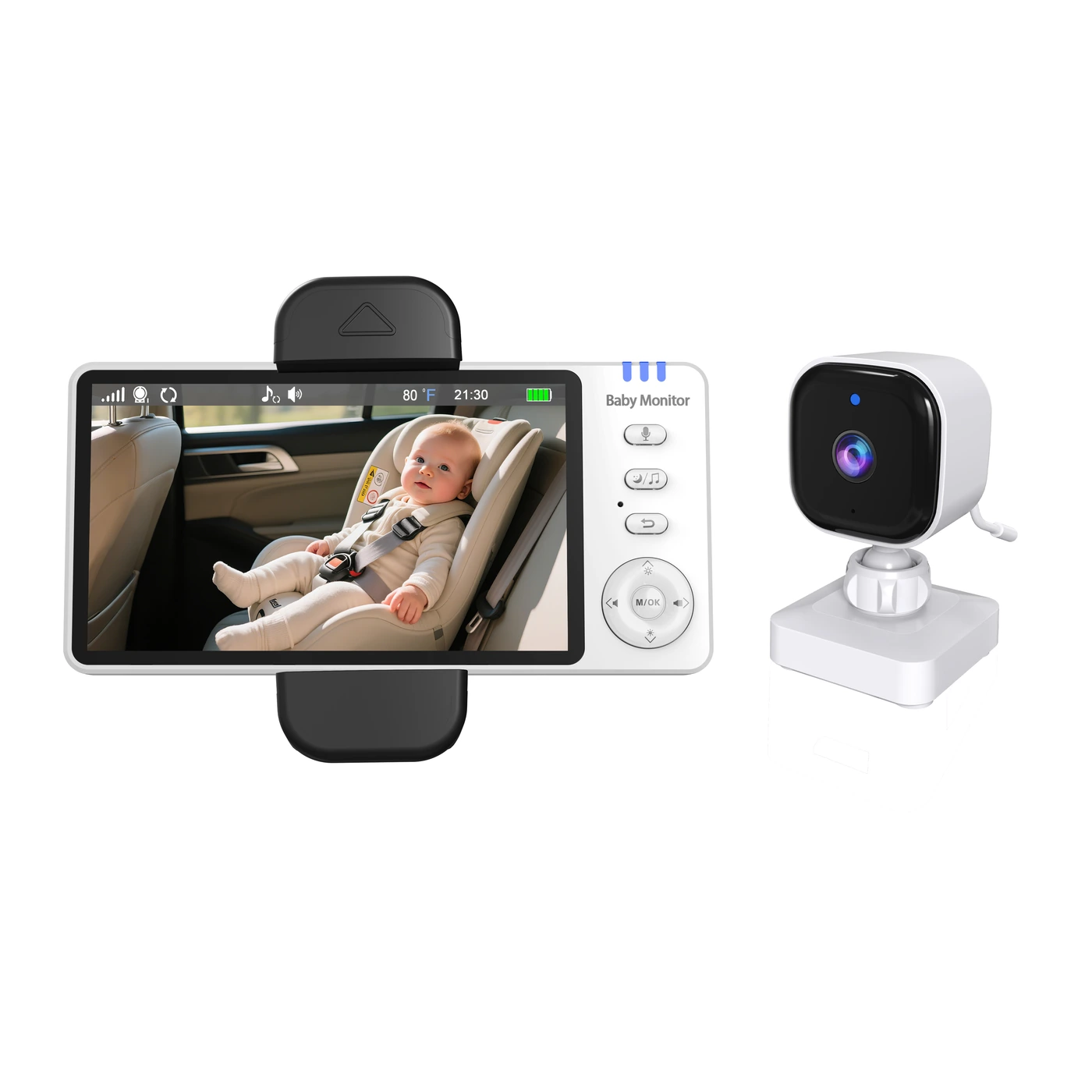
Build a baby monitor range around the needs customers buy for.
先明确客户为什么需要,再选择能填补产品线位置的型号。
Start with the customer outcome—local viewing, remote access, flexible placement, compact use, a larger display or a nighttime routine—then verify the product facts.
Different designs. More possibilities.
Explore different camera and monitor designs, then confirm the configuration that fits your project.
Place the camera where care happens—not only where the outlet is.让摄像头跟着看护需求走,不再只能跟着插座走。
Why it belongs in the range为什么值得纳入产品线A differentiated portable-use proposition inside a range dominated by plug-in cameras.在以持续外接供电摄像头为主的产品线中,建立清晰的便携与灵活摆放档位。
RANGE ROLESimple local-screen starting point简单本地屏起步款
Simple local monitoring without App setup.无需App设置,用独立屏完成简单本地看护。
Why it belongs in the range为什么值得纳入产品线A straightforward local-screen base tier that stays distinct from recording-capable ABM600.作为清晰直观的本地屏基础档,与支持录像的ABM600形成明确区分。
Combine local and remote viewing with a softer nighttime room experience.把本地与远程查看,融入更柔和的夜间房间体验。
Why it belongs in the range为什么值得纳入产品线A connected 4.3-inch option with a visible night-light story beyond screen size alone.作为4.3英寸双模选择,用摄像头夜灯建立屏幕尺寸之外的明确差异。
Make a larger viewing experience the product’s immediate point of difference.让更大的查看画面成为一眼可见的产品差异。
Why it belongs in the range为什么值得纳入产品线An upper screen-size tier that makes the connected range easier to step up from 5-inch models.在双模产品线中建立高于5英寸机型的大屏升级档。
Give local-screen buyers a larger view, adjustable framing and a way to save video.让本地屏用户看得更舒展、调得了视角,也能保存视频。
Why it belongs in the range为什么值得纳入产品线A practical step up from compact local-screen models without making App access the proposition.在紧凑型本地屏之上建立实用升级档,不需把App作为销售前提。
Keep a dedicated screen at home and retain an App viewing route when away.在家用独立屏,离开时仍保留App查看入口。
Why it belongs in the range为什么值得纳入产品线A 5-inch connected core that bridges local-screen buyers and customers who also expect remote access.作为5英寸双模核心款,同时承接偏好独立屏与需要远程查看的客户。
Keep everyday local viewing compact while retaining a way to save video.用更紧凑的形式完成日常本地查看,同时保留视频保存能力。
Why it belongs in the range为什么值得纳入产品线An accessible local-screen starting tier below larger models without removing recording from the offer.作为大屏机型之下的本地屏起步档,仍保留录像卖点。
Local screens and connected options for everyday care.
CAR COLLECTION
Car Baby Monitors
车载与出行看护
Explore mobile viewing and flexible camera placement.
HEALTH COLLECTION
Health & Care
健康与护理
Discover additional products for everyday care needs.
02 / WORK WITH ANICEBB
Your brand. Or ours.
两种合作方式,同样清晰的项目支持。
OEM / ODM
Build your own baby monitor brand.
打造你自己的婴儿看护器品牌
Start with an existing model, define your brand requirements or discuss a development brief.
Logo, color and retail packaging
Language, configuration and accessories
Development assessment and sample confirmation
ANICEBB DISTRIBUTION
Bring anicebb to your customers.
将 anicebb 产品带入你的销售渠道
Choose a product range for your channel, evaluate samples and plan product and after-sales support.
Product range and sample evaluation
Product materials and channel preparation
Ordering, replenishment and support
03 / PRODUCT SELECTION
A product range that fits your next step.
按采购目的选择,明确下一步。
04 / PRODUCT EXPERIENCE
See the product. Understand the difference.
看清产品,理解不同型号的价值。
Compare actual product designs, viewing options and camera placement before building your shortlist.
ABM950SCamera with built-in battery
05 / PROJECT EXECUTION
Clear steps. Shared expectations.
从需求到交付,每一步明确确认结果。
01
Requirements
Market, model and project scope.
02
Samples
Evaluate function and everyday use.
03
Confirmation
Agree specifications and packaging.
04
Production
Follow progress and agreed checks.
05
Delivery
Coordinate packing and documents.
06
Support
Track feedback and follow-up actions.
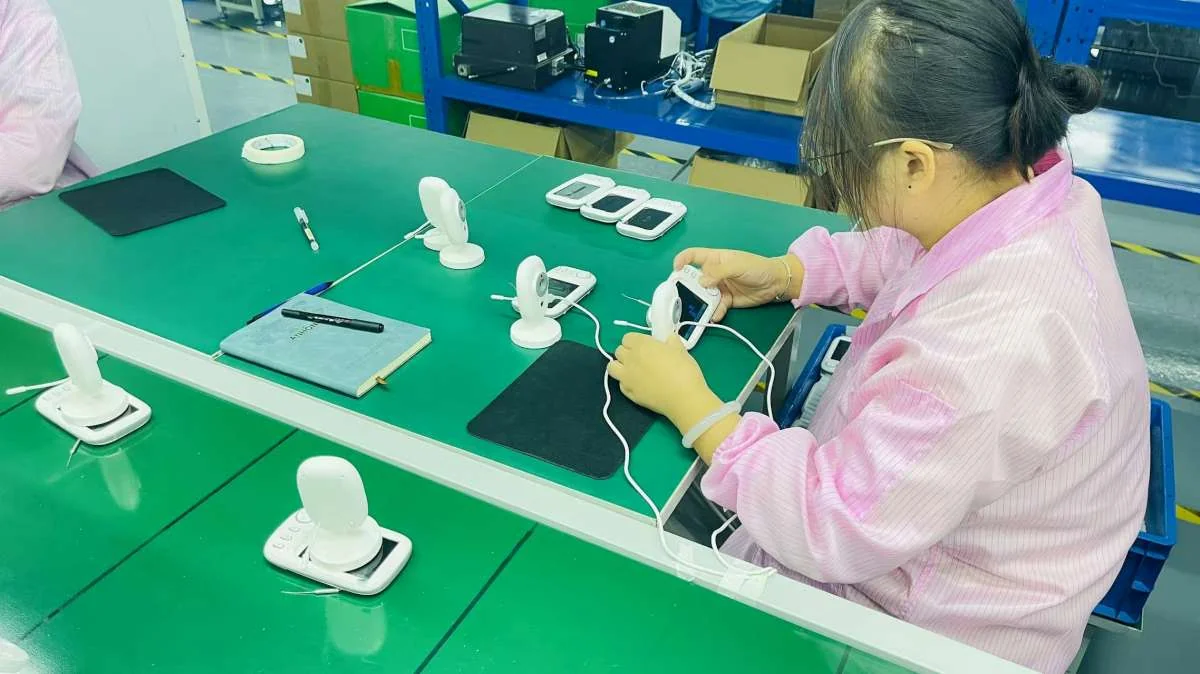
Product checks & specification review
06 / QUALITY & DELIVERY
From the sample to the shipment.
围绕样品、规格、包装和交付落实项目。
Discuss the checks, records and handover documents your project needs. Keep product, packaging and order versions aligned throughout the process.
Support continues after delivery.
资料、使用帮助与售后跟进,持续支持你的业务。
LET’S PLAN YOUR NEXT STEP
Tell us what you want to build.
Your market, your channel, your product requirements.
告诉我们你的市场、渠道和产品需求。
PRODUCT CENTER
Explore our baby monitor range.
按用途、查看方式和关键参数,找到适合你的型号。
Compare models, save your shortlist and request samples or a project quotation.
Viewing
Build a shortlist around your market.
Tell us your sales channel and product priorities.
EVERYDAY CARE
Care fits into real life.
从夜间看护到居家、出行,理解每种产品的使用价值。
Explore the moments that shape camera placement, viewing and product choice.
Choose around the way it will be used.
从使用需求出发,评估样机。
Camera placement
Check power access, mounting and the view you need.
Viewing routine
Choose a dedicated screen, App access or both.
The complete kit
Review included accessories and the setup instructions.
Translate everyday needs into your range.
Discuss the scenarios your customers care about.
DISTRIBUTE ANICEBB
A baby monitor range. A partner for your channel.
经销 anicebb,为你的渠道选择合适的产品组合。
Explore product options, evaluate samples and discuss the materials and service arrangements for your business.
Plan your channel launch
Product selection and samples
Product images and information
Ordering and replenishment
After-sales coordination
MARKET PLANNING
Start with your destination market.
选择目标区域,整理当地渠道与产品需求。
Prepare the range, then prepare the channel.
围绕渠道经营,逐项落实合作安排。
Product evaluation
Compare models and agree the samples for evaluation.
Sales preparation
Review available product visuals, descriptions and guides.
Ongoing supply & support
Discuss order conditions, replenishment and issue handling.
A straightforward way to get started.
经销合作流程
01
Introduce your business
Share your market and channels.
02
Shortlist your range
Review product and sample options.
03
Agree the details
Confirm order and support terms.
04
Prepare your launch
Coordinate products and materials.
Let’s discuss your channel.
Tell us where and how you plan to sell.
OEM / ODM CUSTOMIZATION
Your brand. A considered path to delivery.
从现有机型品牌定制到开发评估,明确项目每一步。
Define your product, customization and destination requirements. Build a project brief and agree the next steps with anicebb.
Product, packaging and order preparation
Brand customization
Logo, colors, packaging and language options by model.
Product adaptation
Discuss configuration, accessory and functional changes.
Development assessment
Review hardware, software and structural requirements.
INTERACTIVE PROJECT BUILDER
Build your project brief.
选择基础机型和定制范围,形成可讨论的项目需求。
PROJECT MILESTONES
Know what gets confirmed at each stage.
每一步都有清晰的确认内容。
01
Requirements
Market, product and customization brief.
02
Assessment
Feasibility, scope and development plan.
03
Sample
Function, appearance and setup review.
04
Approval
Specification and packaging confirmation.
05
Production
Progress updates and agreed inspections.
06
Shipment
Packing, documents and support handover.
Have a brief already?
Share the features, market and launch timing you have in mind.
WHY ANICEBB
A focused partner for your baby monitor business.
围绕产品、定制、交付与售后,持续支持你的业务。
We help brands, importers and retailers turn product requirements into a coordinated project — from the first shortlist to support after delivery.
Thoughtful products. Practical project support.
有温度的产品,落到实处的合作支持。
Product selection
Compare suitable products around your customers and channels.
Project coordination
Keep samples, specifications and packaging decisions connected.
Long-term support
Continue with product information and issue follow-up.
Product inspection and evaluation
QUALITY & DELIVERY
A clear process for the details that matter.
Match the product and production resources to the project. Confirm the approved sample, document versions, inspection arrangements and shipment requirements.
根据项目需求匹配产品与生产资源,由 anicebb 协调沟通和执行。
Review the right information for your project.
按型号、版本和目标市场确认资料。
Model documents
Request specifications and applicable product documentation.
Order information
Confirm the kit, labels, languages and packing requirements.
Project records
Agree the relevant approval and inspection records.
SUPPORT CENTER
Find the next step. Get the support you need.
查找资料、了解使用方法,或提交售后问题。
Choose a model, tell us what you need and keep your product questions moving.
Product documents.
按型号查找资料,或提交所需文件。
Common questions.
选型、样品与使用支持
Start with who will view the camera, where they will be, and whether remote App access is needed. Compare the viewing options in the product center or request a shortlist.
Tell us the models and features you want to evaluate. Sample arrangements and any customization requirements are confirmed for the project.
Logo, packaging, languages and selected configurations can be discussed by model. Changes to functions, hardware or structure require a feasibility assessment.
The monitor and camera have separate power specifications. Check each device in the specification table. ABM950S includes a 2000 mAh camera battery and a 3500 mAh monitor battery.
Please share the exact model, order or batch reference, the issue, when it occurs, and the checks already completed. Photos or video may be requested during follow-up.
AFTER-SALES SUPPORT
Tell us what needs attention.
提供型号与问题信息,便于后续排查。
Include your order reference and the checks you have tried. Support arrangements follow the applicable order terms.
Demo preview: this form prepares a local request summary. It does not send your details to a support team.